
The proxy only works on WiFi, not mobile data, and is set per WiFi network. Menu names vary slightly between Android brands — these steps follow standard Android; Samsung wording is shown in brackets.
Your proxy details
-
Proxy server address: proxy.mysetup.co.uk
-
Port: 80
-
Username & password: the same login you use at www.libertyshield.com
Our proxy is UK-based, so websites will see you in the United Kingdom. The proxy does not work for other countries — for those, use the VPN instead.
Set up the proxy
1. Open Settings and tap Network & internet (Samsung: Connections).
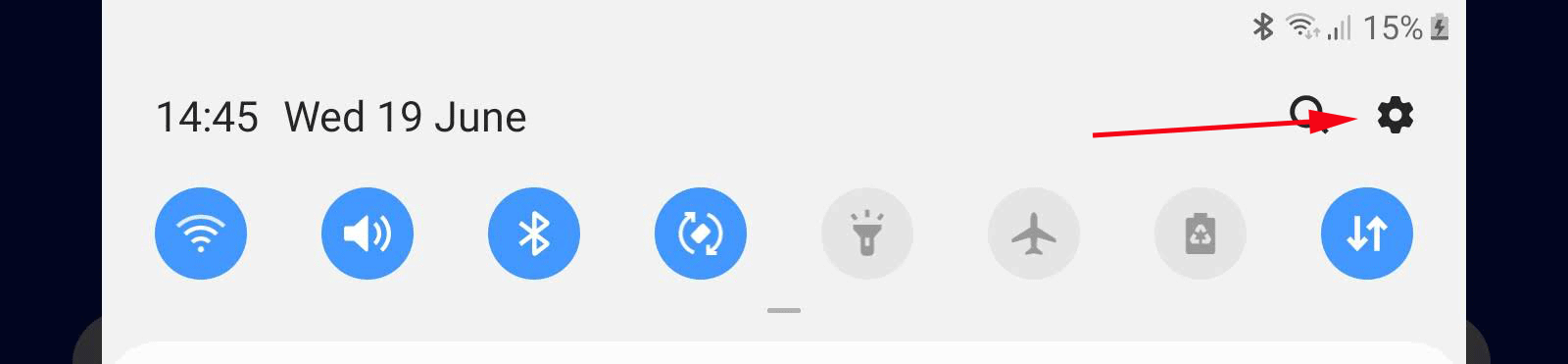
2. Tap Internet (Samsung: Wi-Fi) and tap the gear/settings icon next to your connected network.

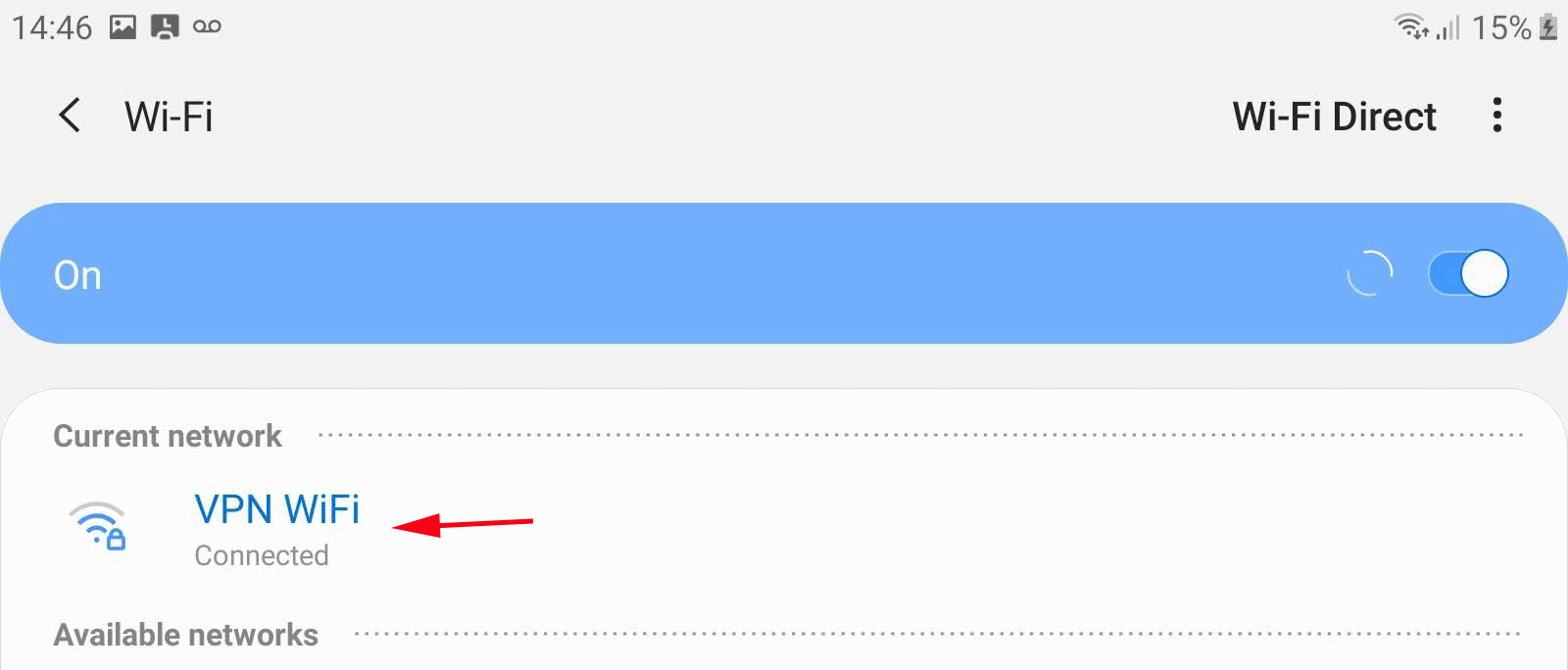
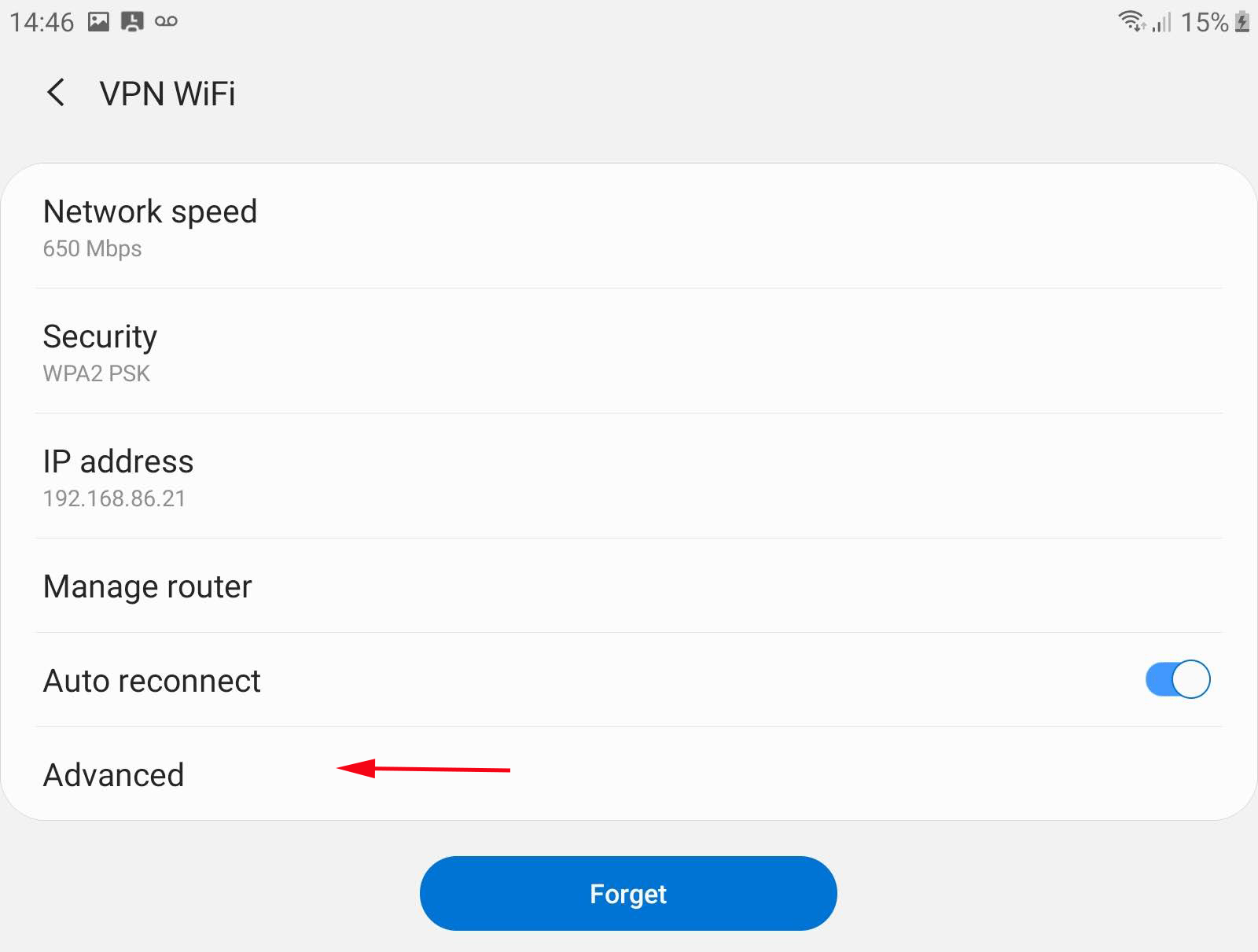
3. Tap the pencil (edit) icon, then expand Advanced options.
4. Set Proxy to Manual.
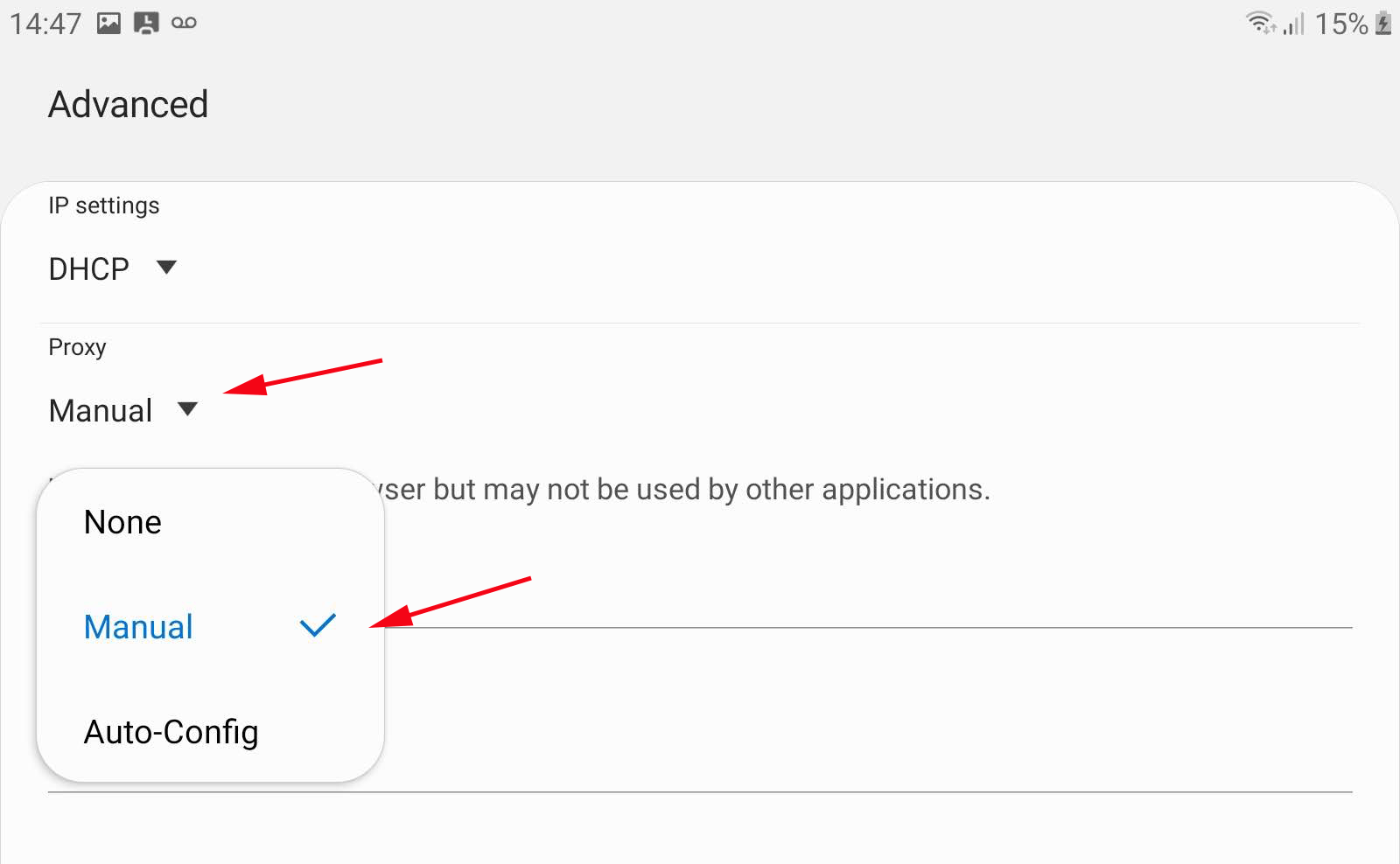
5. Enter proxy hostname proxy.mysetup.co.uk and port 80, then Save.
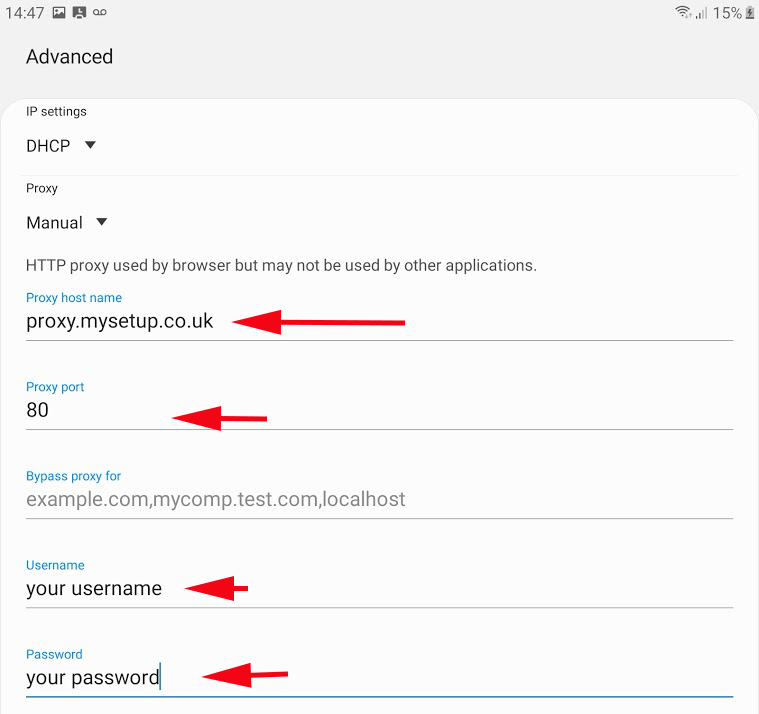
6. Open your browser — the first page will ask for your Liberty Shield username and password.
Check it's working
Visit showmemyip.com — it should show a UK location. The first page you open will ask for your username and password — enter your Liberty Shield login.
Turning the proxy off
Edit the same WiFi network and set Proxy back to None.
James
Comments
Jamaiyah Bryant
what about for computers with administrators or school chromebooks