
Edge uses Windows' proxy setting, so these steps set the proxy for the whole computer — every browser and app on it.
Your proxy details
-
Proxy server address: proxy.mysetup.co.uk
-
Port: 80
-
Username & password: the same login you use at www.libertyshield.com
Our proxy is UK-based, so websites will see you in the United Kingdom. The proxy does not work for other countries — for those, use the VPN instead.
Set up the proxy
-
Click the three dots (…) in the top-right of Edge and choose Settings.
-
Type proxy in the settings search box and click Open your computer's proxy settings.
-
Under Manual proxy setup, click Edit, switch it On, enter address proxy.mysetup.co.uk and port 80, then Save.
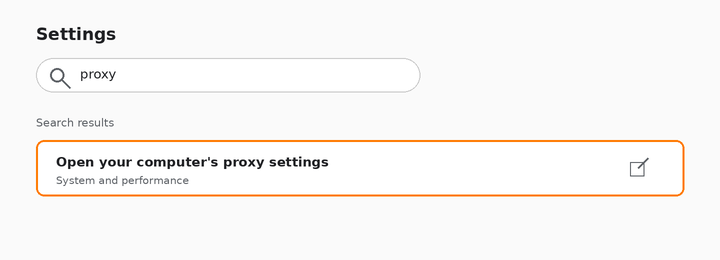
Search ‘proxy’ and open your computer's proxy settings
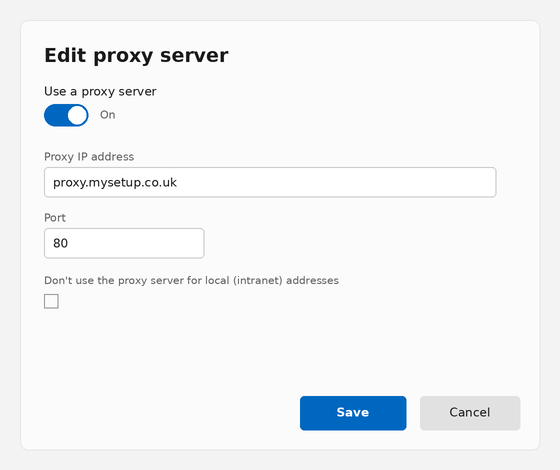
The Edit proxy server dialog with our details filled in
Check it's working
Visit showmemyip.com — it should show a UK location. The first page you open will ask for your username and password — enter your Liberty Shield login.
Turning the proxy off
Open the same Windows proxy settings and switch “Use a proxy server” off.
James
Comments