
Some UK ISPs run content filters that can block VPN and proxy websites (sometimes including our own site). This is a filter setting on your broadband account — not a fault — and you can turn it off yourself.

Quick reference — BT: My BT > Parental Controls > turn off. Sky: Sky Broadband Shield > set to 18 or off. Virgin Media: Web Safe > turn off Virus Safe/Child Safe. TalkTalk: HomeSafe > Kids Safe off. Changes usually take a few minutes to apply. If our website is still unreachable afterwards, our support team can provide an alternative address.
These filters go under different marketing names depending on your provider — BT Smart Setup, EE Content Lock, Orange Safeguard, Sky Shield, Virgin Web Safe, TalkTalk HomeSafe, Plusnet SafeGuard — and can block genuine privacy and security sites, including VPN providers, not just adult or filesharing content. If you’re already connected to our VPN you won’t be affected by ISP blocking, but here’s how to switch each one off if you need to reach our site or app downloads directly.
BT

BT’s “Smart Setup” system and parental controls limit access to web content. Go to My BT > Parental Controls and turn it off — handle with care if you have children on the account.
How can I turn BT Smart Setup on and off? · BT Parental Controls
EE / Orange (Content Lock / Safeguard)
EE routers default to Moderate. Adjust the level in your account settings:
-
Moderate — the default for new customers. Social networking allowed, 18-rated content blocked (BBFC guidelines).
-
Strict — the safe setting for families. Blocks 18-rated content plus anything rated above ‘PG’ and unmoderated social/chat/dating sites.
-
Off — full internet access, including 18-rated content.
Sky

Go to Sky Broadband Shield in My Sky and set it to 18 or off. Sky email the account holder to confirm any change, and it applies to every device on the connection.

You may also need to change router settings — check the sticker on your Sky router for access details, then under IP LAN Settings > IPv6 untick both boxes and reboot the router.
Virgin Media

Sign in to Virgin Media, then My Apps > Web Safe > Settings. You’ll see two filters — Virus Safe and Child Safe — toggle either off and apply. Restart your browser after making changes.
Virgin Child Safe Explained · How to use Virgin Web Safe
TalkTalk
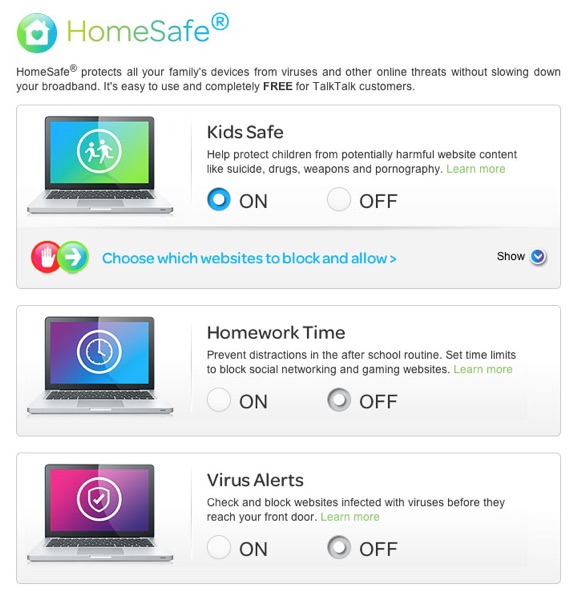
In My Account, go to Extras & Offers > Manage HomeSafe. Switch Kids Safe, Homework Time and Virus Alerts to ‘OFF’ (they turn grey), confirm, then click save/finalise — changes take a few minutes.
Plusnet
Use the Plusnet SafeGuard control panel to switch filtering off, then reboot your Plusnet router — it can take up to 2 hours to take effect.
Plusnet’s separate firewall (under Connection Settings) also matters for VPN use: Off allows all traffic, Low gives good protection while still allowing VPN connections, and High blocks VPN software entirely — use Low if you run a VPN.
Keith
Comments